Sales and payments made during a register closure may appear unmatched because they show two different pieces of information: sales made and payments taken during the open register period.
Addtionally, due to rounding rules between items on your Sales and payments reports, you may notice some 1-cent discrepancies between your Sales and payments reports within the same period.
Understanding cash discounting terminology
Your Sales summary report gives a breakdown of daily totals over a period. You can find this report by navigating to Reporting > Sales reports.
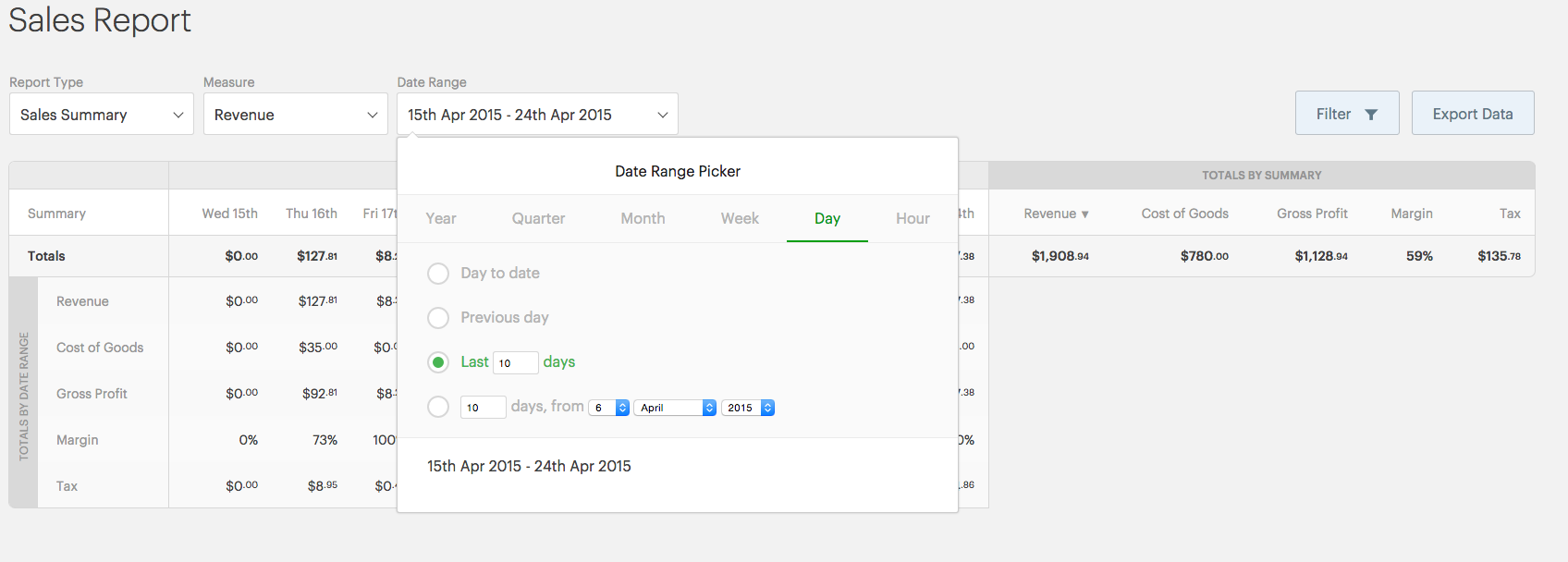
- Sales: Money that should be paid to the store when all sales are closed. These sales will all have been created between the opening and closing time of your store, but don't represent all of the money received within this register closure period.
- Payments: The sum of the total amount of money that has been received, broken down by payment type.
The Payment report gives a breakdown of how much money has been received for each payment type in your store over a period. You can find this report by navigating to Reporting > Payment reports.

- Payment type: Payment types are different methods in store to receive money. This can include cash, credit card, gift card, On account sales, etc.
- Cash rounding payment type: Cash rounding is a feature in Retail POS that lets you pick different rounding denominations and rules depending on your country's currency.
- Revenue: The total value of sales in the specified period.
- Retail price: The price of a product when it is sold to a customer.
- Liabilities: A liability is an obligation to pay in the future. On account, store credit, gift cards, or Loyalty are recorded as liabilities, not payments.
Understanding sales and payments discrepancies
Sales made and payments taken may not match in amount due to differences in how they are captured in Retail POS.
- Sales made: The total value of all sales created during the open register period. This value doesn't represent the amount of payments taken, since payments are settled when the sales are closed.
- Payments taken: The total payments made against sales during the open register period. This value doesn't have to relate to sales in the register, such as during an On account sale.
For example, a cashier may process $100 in sales, take in $100 in new payments, and also take a payment of $50 for an On account sale started the previous day. This would make the total payments amount $50 higher than the total sale amount.
Sales and payments amounts should match when every sale made within the register closure period has been paid off in this period, and no other payments have come in. If there's a discrepancy, review the full details in your register closures report to compare payments against sales made.
There are other cases where the Sales report doesn't match the record of payment collected, such as for cash payments. In this case, the cash rounding payment type will record the discrepancy against the account.
Understanding rounding discrepancies
Rounding discrepancies may occur due to the differences in rounding applied to sales and payments.
For example, if you process two sales, each with 1 of these products, the price per sale may be:
- 67.91981 + 4.07519 = 71.995 (Corresponding Payment Amount = $72.000000)
- 67.91981 + 4.07519 = 71.995 (Corresponding Payment Amount = $72.000000)
The total on your Sales report would be $143.99.
The total on your Payments report would be $144.00.
Retail POS does not automatically record this revenue discrepancy due to the rounding rules in Retail POS.
Rounding rules in Retail POS
In Retail POS, payments are rounded to 2 decimal places. Retail prices and taxes are rounded to 5 decimal places instead of 2, to prevent discrepancies.
Both the Sales report and Payments report have clear reporting lines:
- Sales reports show the net sales Revenue that you collect in store. This means that the Sales report shows gross revenue minus discounts, allowances, and returns, and is based on the retail price of products recorded on Retail POS.
- The Payments report shows how much money has been received for each payment type in your store over a period. It shows revenue as the Amount owed and is recorded at the point of time the amount is owed, not when it was paid (as in at the time of sale). Payments are based on money received and rounded to 2 decimal places.
Cash rounding and Xero
Xero runs code to determine payment discrepancies. This is posted to your Till payment discrepancies account on Xero when you post your register closures.
Managing the cash rounding discrepancy
While Retail POS can create a cash rounding payment type, due to materiality, this is not applied to the rounding discrepancies between Sales reports and Payment reports.
Materiality is an accounting concept that relates to the importance of recording an event or transaction. Accounting rules state that when you are dealing with large sums of money and rounding to the nearest decimal, do not round if rounding the sum would affect its materiality. Therefore, if the general information is correct and your reports are not materially misstated, the transaction can stand as it is.
As the rounding discrepancies between your Sales and payments reports will always be plus or minus 1 cent, these discrepancies are far below any retailer's materiality and can stand as-is.
Note:
- Cash discrepancies are normal, unless you're operating on a cash basis and don't offer On account, store credit, gift cards or Loyalty sales, which would be recorded as liabilities and not payments.
- Even if they differ, figures in both your payments and revenue are correct and accurate. They each display the level of accuracy available for their respective value.
- Rounding discrepancies are normal and expected by an accountant. If you require more information, contact an accountant.
What's next?
Customizing your inventory reports
Dig deeper into your inventory reports with Advanced reporting.